Перейти к содержанию
View in the app

A better way to browse. Learn more.

BrcBet.Com

A full-screen app on your home screen with push notifications, badges and more.

To install this app on iOS and iPadOS
  1. Tap the Share icon in Safari
  2. Scroll the menu and tap Add to Home Screen.
  3. Tap Add in the top-right corner.
To install this app on Android
  1. Tap the 3-dot menu (⋮) in the top-right corner of the browser.
  2. Tap Add to Home screen or Install app.
  3. Confirm by tapping Install.

TOTAL_CORNER_LIVE NEXT GOAL_FIXED_BY_NASEK68_SERGINKARA_.xlsm 1.0.0

(0 отзывов)

1 изображение

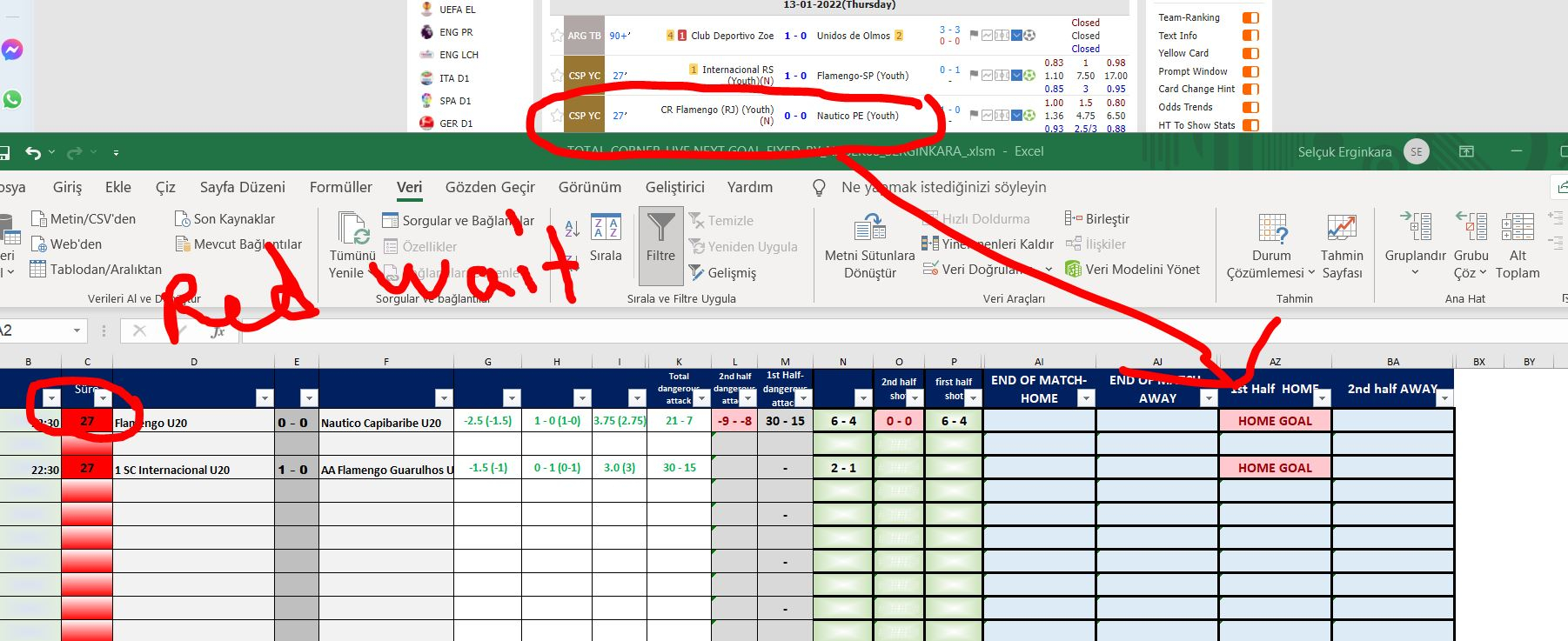
TOTAL_CORNER_LIVE SONRAKİ GOAL_FIXED_BY_NASEK68_SERGINKARA_.xlsm


TOTALAM ПОЛУЧАЕТ ДАННЫЕ ОТ УГЛОВОГО САЙТА HOUSE / DEP LIVE ЦЕЛЬ УСТАНАВЛИВАЕТСЯ, ОНА РАБОТАЕТ ПЛАВНО И ПОДАЕТ СИГНАЛ ПРЕЖДЕ, ЧЕМ ЦЕЛЬ СТАНОВИТСЯ ЦЕЛЬЮ ЕСЛИ ВЫ ВНИМАТЕЛЬНО СЛЕДИТЕ ЗА ЦВЕТАМИ НА ПЕРЕДНЕЙ СТОРОНЕ, ВЫ УЗНАЕТЕ КАК. УДАЧИ

Обратная связь

Присоединяйтесь к обсуждению

Вы можете написать сейчас и зарегистрироваться позже. Если у вас есть аккаунт, авторизуйтесь, чтобы опубликовать от имени своего аккаунта.

Гость
  • Не будет показан другим пользователям

  • Ваш отзыв Обязательно
    Добавить отзыв...

Account

Navigation

Поиск

Поиск

Configure browser push notifications

Chrome (Android)
  1. Tap the lock icon next to the address bar.
  2. Tap Permissions → Notifications.
  3. Adjust your preference.
Chrome (Desktop)
  1. Click the padlock icon in the address bar.
  2. Select Site settings.
  3. Find Notifications and adjust your preference.