Перейти к содержанию
View in the app

A better way to browse. Learn more.

BrcBet.Com

A full-screen app on your home screen with push notifications, badges and more.

To install this app on iOS and iPadOS
  1. Tap the Share icon in Safari
  2. Scroll the menu and tap Add to Home Screen.
  3. Tap Add in the top-right corner.
To install this app on Android
  1. Tap the 3-dot menu (⋮) in the top-right corner of the browser.
  2. Tap Add to Home screen or Install app.
  3. Confirm by tapping Install.

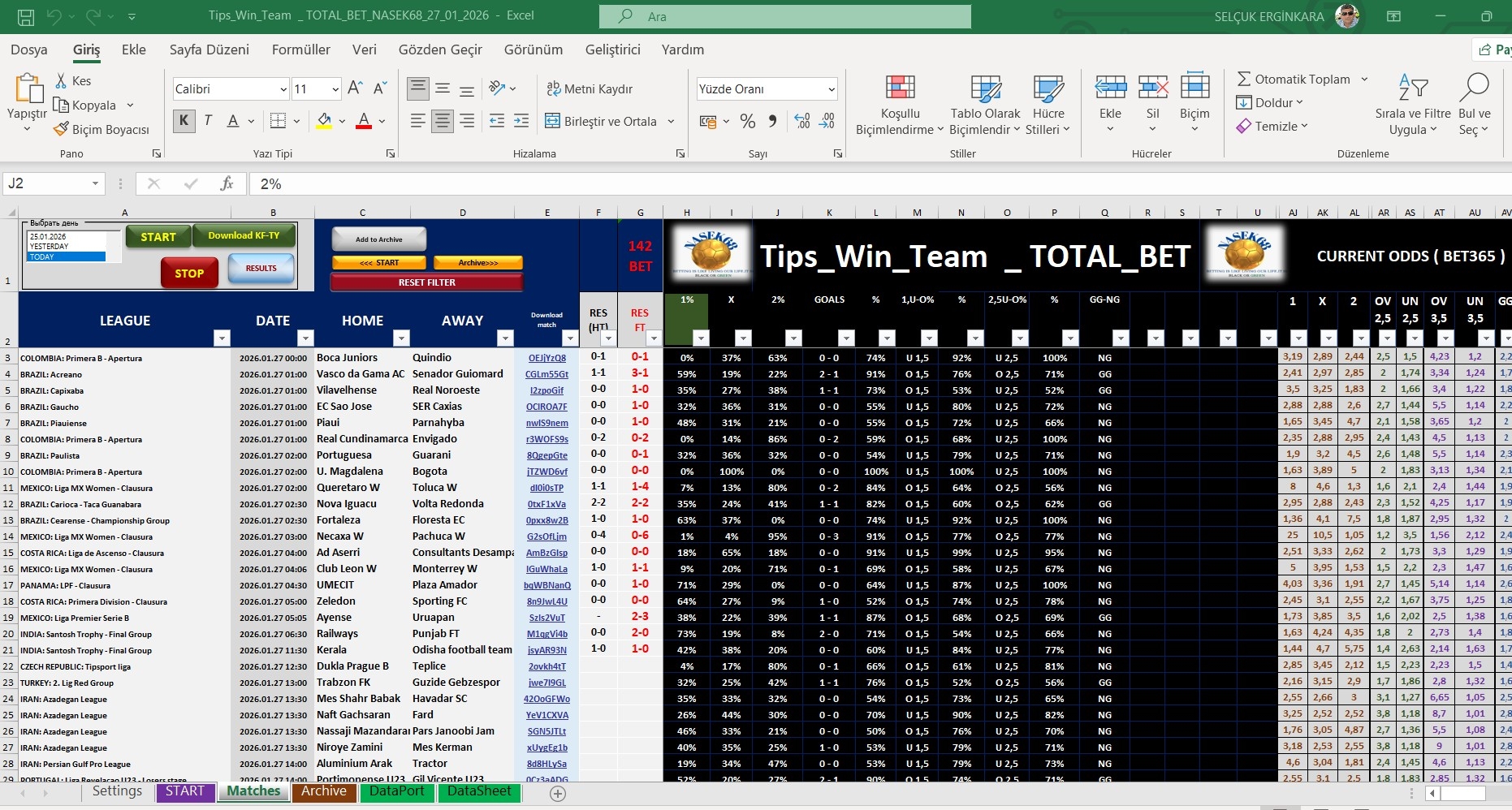
Tips_Win_Team _ TOTAL_BET_NASEK68_27_01_2026 1.0.0

(2 отзыва)

1 изображение

This file displays 1x2 percentages. It analyzes match results for over/under 1.5 goals, over/under 2.5 goals, and GG/NG. Good luck to everyone, I hope it's useful.

Обратная связь

Присоединяйтесь к обсуждению

Вы можете написать сейчас и зарегистрироваться позже. Если у вас есть аккаунт, авторизуйтесь, чтобы опубликовать от имени своего аккаунта.

Гость
  • Не будет показан другим пользователям

  • Ваш отзыв Обязательно
    Добавить отзыв...


Great program! Matches are clickable if you filter them correctly

   5 из 6 пользователей отзыв оказался полезным 5 / 6 пользователей

отличная программа! матчи заходят если правильно фильтровать! фильтруем по процентам!всем советую скачать!

Account

Navigation

Поиск

Поиск

Configure browser push notifications

Chrome (Android)
  1. Tap the lock icon next to the address bar.
  2. Tap Permissions → Notifications.
  3. Adjust your preference.
Chrome (Desktop)
  1. Click the padlock icon in the address bar.
  2. Select Site settings.
  3. Find Notifications and adjust your preference.